- Most broken .edu links sit on abandoned departmental resource pages that no one has logged into since 2017.
- Scraping universities at scale gets your residential IP blocked by Cloudflare or campus firewalls within forty minutes.
- Pitching professors as if you are doing them an IT favor yields a 2% conversion rate; pitching them contextually converts closer to 9%.
- A dead link is only worth pitching if you have an exact, non-commercial piece of reference-grade research to take its place.
Avoid running heavy Screaming Frog crawls on raw university domains. Instead, use index tools like Ahrefs or Semrush to identify external outbound 404s on subdomains, or pull specific departmental resource page URLs into a cloud scraper running residential proxies with strict rate limits of one request per three seconds.
How do I find broken links on university pages without getting IP blocked?
Most search practitioners waste hundreds of hours trying to earn academic backlinks because they treat university sites like big corporate blogs.
You run an automated crawler across a state school’s domain, surface four thousand 404 errors, pull a contact email off a generic contact form, and blast out a canned pitch offering your commercial blog post as a substitute. Three weeks later, your response rate is zero, your outreach domain’s deliverability is in the gutter, and your scraper’s IP is permanently blacklisted by the university’s edge network.
If you want to find broken links on university pages and actually turn those opportunities into high-tier, contextual backlinks, you need to understand how academic web infrastructure works, why these links broke in the first place, and who actually holds the keys to editing the pages.
Why University Broken Link Building Fails for Most Teams
The standard play taught in most SEO courses tells you to take an .edu domain, find resource hubs, export the dead outbound links, and tell the site owner you fixed an issue on their site. When our agency first attempted this at scale back in 2018, we burned through twelve regional universities, sent over six hundred emails, and earned exactly zero links.
The first point of failure is that university domains are massive, sprawling federations of autonomous fiefdoms. A single state university might have seventy different departments, thirty-five research labs, an athletic department, several hospitals, and independent student organizations, all running on different CMS setups. The central marketing team or IT helpdesk does not manage the recommended reading list for an advanced ecology seminar; an adjunct professor who checks that email address twice a week does.
The second failure is the replacement asset. Academic staff do not care about your “Ultimate Guide to Home Solar Panels” or your interactive infographic. They link out to primary sources: government datasets, academic whitepapers, clinical trials, and non-profit initiatives. When you pitch a commercial solution to replace a dead citation from a government archive, the recipient immediately spots the pitch as spam.
Finally, agencies fail because they mistake ghost town pages for viable targets. Just because a university URL returns a 200 OK status code does not mean anyone is maintaining it. If the page was hand-coded in raw HTML in 2004 by a professor who retired in 2015, nobody is logging into that FTP server to insert your client’s URL. You have to hunt for pages that are dead to the visitor, yet actively maintained by current staff.

The Academic Web Architecture: Where Broken Links Actually Hide
University domains (.edu, .ac.uk, .edu.au) do not operate under a single unified architecture. If you run a blanket crawl on example.edu, you will drown in student housing portals, athletic schedules, and intranet login screens. To find links that move the needle, you have to target specific pockets of the academic ecosystem where external reference links naturally cluster.
                    ┌─────────────────────────┐
                    │      University CMS     │
                    └────────────┬────────────┘
                                 │
         ┌───────────────────────┼────────────────────────┐
         ▼                       ▼                        ▼
┌──────────────────┐   ┌──────────────────┐    ┌──────────────────┐
│ Library Guides   │   │  Academic Depts  │    │ Student Services │
│ (LibGuides)      │   │ (Faculties/Labs) │    │  & Career Hubs   │
└────────┬─────────┘   └─────────┬────────┘    └─────────┬────────┘
         │                       │                       │
         ├─ Subject resources    ├─ Course syllabi       ├─ Relocation guides
         ├─ Database citations   ├─ Faculty research     ├─ Financial aid
         └─ Research portals     └─ Recommended reading  └─ Health services
The first and most reliable area is the university library system, particularly SpringShare platforms hosted on subdomains like libguides.university.edu. Librarians build curated pathfinders to help students locate primary and secondary sources for research papers. These pages are built specifically to link out to high-quality external resources, and librarians are evaluated on the accuracy and utility of these collections.
The second area is academic departmental hubs—specifically, the sub-pages of individual departments like economics, sociology, or public health. Look for URLs matching structures like /economics/links/, /history/primary-sources/, or /biology/resources/. These pages were usually built by tenured faculty to supplement course curricula or direct graduate students to public datasets.
The third area is student affairs and campus community hubs. Universities publish guides on local tenant rights, community mental health support, legal clinics, and career resources. These sections are maintained by full-time administrative staff, not rotating student workers or absentee professors. When an administrative link breaks on a community service page, fixing it falls within an active employee’s job description.
Scraping and Mining: How to Find Broken Links on University Pages at Scale
You cannot simply point Screaming Frog at a university root domain and walk away. A major university site can easily exceed three million URLs; your machine will run out of memory, or the university’s Web Application Firewall (usually Cloudflare, Akamai, or an on-premise Fortinet appliance) will block your scraper within forty minutes.
Instead, we use targeted index mining using Ahrefs or Semrush paired with surgical cloud crawls.
Step 1: Discover Subdomains -> Step 2: Filter by Link Count -> Step 3: Extract Outbound 404s -> Step 4: Validate Content Depth
Start by targeting subdomains known for hosting curated references. In your SEO tool’s Site Explorer, run searches for subdomains containing strings like libguides, library, dept, or resources.
Once you isolate a target subdomain, do not look for incoming broken links to the university; you want to isolate outgoing broken links on their pages.
Navigate to the Outgoing Links report, filter by HTTP Status Code: 404 Not Found, and apply an external link filter. This instantly isolates outbound links that point from the university to external sites that have expired, moved, or shut down.
If you prefer using search operators to uncover these hubs directly in Google before auditing them, skip the generic queries. Use footprint searches that isolate dense academic collections:
site:.edu inurl:resources "recommended sites" "page last updated"
site:.edu inurl:links "database" "research" -inurl:news -inurl:events
site:libguides.*.edu inurl:subjects "useful links"
site:.edu/departments/ "external links" intitle:"resources"
Once you collect these raw URLs, run them through Screaming Frog or Sitebulb in List Mode rather than Spider Mode. Set your crawler configuration to a strict rate limit: two requests per second maximum, honor robots.txt, and rotate through residential user-agents.
Export only external links that return status codes 404, 410, or DNS lookup failures. For a wider workflow on handling broken external references across various site formats, read our guide on broken link building, step by step: find, fix, and pitch.
Qualifying the Target: Ghost Pages vs. Active Academic Hubs
Finding a dead outbound link on an educational page is only fifteen percent of the battle. The critical operational step—the one that prevents your team from burning hours on dead ends—is qualifying whether the host page is active, abandoned, or programmatically un-editable.
Every prospective URL must clear three diagnostic filters before you build or allocate a content asset for it.
| Evaluation Metric | Viable Target Indicator | Dead End (Abandon Immediately) |
|---|---|---|
| Last-Modified Header / Footprint | Page timestamp updated within the last 18 months; copyright is current. | Copyright is 2012 or earlier; student project disclaimer; “Server last modified: 2008”. |
| Hosting Infrastructure | Modern university CMS (WordPress, Drupal, SpringShare LibGuides). | Plain unstyled HTML; /~username/ personal faculty directories; legacy .shtml scripts. |
| Departmental Health | Faculty directory shows active professors; department is actively accepting students. | Department merged, defunded, or moved to a different institutional URL. |
| Outbound Density | 10 to 40 highly curated, authoritative external links. | 400+ unorganized, spam-injected links (likely compromised via SQL injection). |
Pay particular attention to the /~username/ URL pattern. In the late 1990s and 2000s, universities gave professors and graduate students personal public HTML directories hosted on departmental Unix clusters.
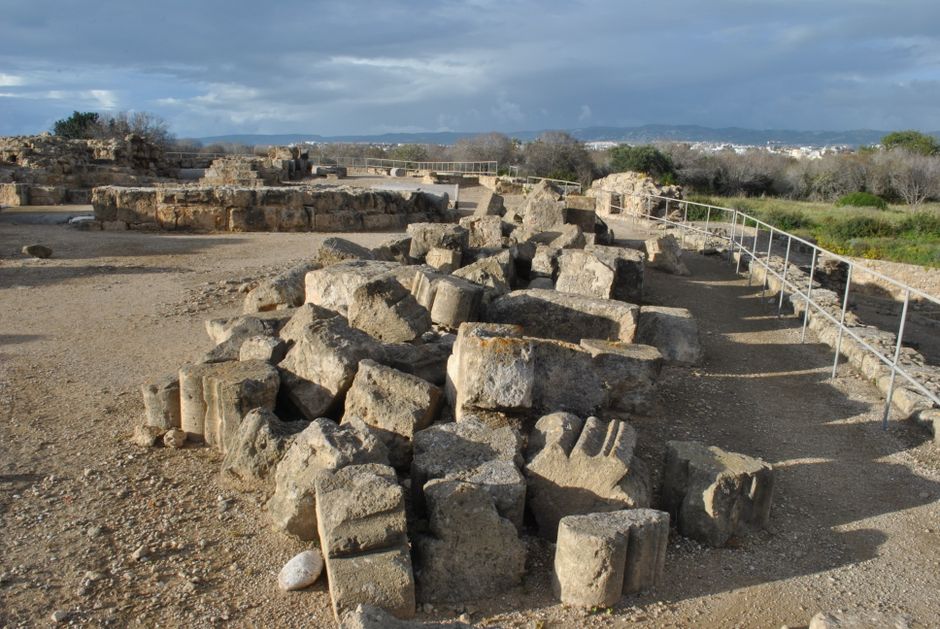
Almost all of these are digital ghost ships. The professor left for another institution a decade ago, the graduate student works in private industry, and the university server team left the directory online to preserve historical academic research. No one will ever edit that page again.
Next, look at the other links on the page. If you see links to legitimate sites alongside anchor text for online pharmacies, sportsbooks, or unbranded commercial products, the page has been hacked or abandoned. Do not attempt outreach here.
Even if you get a link placed, the page will eventually get stripped when the university security team audits their perimeter. You can see how this ruins structural equity in our breakdown of why your footer and sitewide links is failing (and the fix).
Reconstructing Dead Resources: What to Build as a Replacement
You cannot take a dead link that used to point to a thirty-page Department of Labor labor report and offer a 600-word blog post from your client’s commercial site as a replacement. The professor or librarian will click your link, spot the lack of depth immediately, and delete the broken reference without adding yours.
Take the dead URL you discovered on the university page and paste it into the Wayback Machine at archive.org. Inspect the historical snapshots to understand exactly what that asset was providing to the page’s original author.
Look for specific functional utility: - Was it a specialized calculator or interactive dataset? - Was it a directory of non-profit community services? - Was it an exhaustive, non-commercial bibliography or legal reference guide? - Was it an official policy directive or whitepaper that was taken down during an agency site overhaul?
Your replacement asset must match the original resource’s intent while updating its data and citations.
If the dead link pointed to a 2016 study on coastal erosion rates, your replacement asset needs to provide verified, cited data on coastal erosion rates updated through the current year. If you run your own site updates and notice this happening across your own footprint, check our playbook on fixing broken internal links after redesigns.
The replacement piece must live on a clean URL with no aggressive monetization above the fold.
If an academic lands on a page dominated by pop-ups, lead capture magnets, or affiliate disclaimers, they will immediately discount the page as a viable teaching or reference aid.
Put your methodology front and center, cite your own sources clearly, and ensure any author bios highlight genuine subject-matter expertise.
Finding the Actual Web Editor (Hint: It’s Not the Webmaster)
The fastest way to get your email flagged as spam across an entire higher-education network is to email webmaster@university.edu or helpdesk@university.edu. Those addresses route to central enterprise technology teams or tier-one student support agents who do not have the authority, access, or desire to update an external link on a sociology course resource list.
You must identify the human being who owns the specific page containing the broken link.
Is the page a Library Subject Guide (LibGuide)?
   ├─ YES: Look at the top right/bottom of the page for the Librarian's face, title, and direct email.
   └─ NO: Continue below.

Is the page on an Academic Department Subdomain?
   ├─ YES: Navigate to the department's "Faculty & Staff" directory. Find the department coordinator or course professor.
   └─ NO: Continue below.

Is the page on a Student Services / Administration Page?
   └─ YES: Look for the specific program director or administrative assistant listed on that program's contact block.
When targeting LibGuides, identification is straightforward: almost every LibGuide displays a “Guide Owner” or “Subject Specialist” profile box in the right-hand column, complete with the librarian’s full name, email address, and office hours. Librarians are your highest-converting outreach targets because keeping these guides accurate is part of their active performance metrics.
For departmental pages, locate the department’s administrative assistant or the director of undergraduate studies. These individuals generally have CMS access to publish updates, add seminar dates, and adjust syllabi.
Avoid reaching out to university executives, department chairs, or emeritus professors. Focus on staff members whose roles include practical administrative maintenance.
If an email is not directly visible on the page, use tools like Hunter.io or Clearbit, but always verify the pattern against the university’s public faculty directory. Most universities maintain open directories at directory.university.edu or search bars labeled “People.” Cross-reference the name you find on the page against this directory to ensure the person is still an active employee.
Outreach Scripts That Don’t Look Like SEO Spam
Academic staff receive dozens of low-effort outreach emails every week. They can spot the standard broken link outreach template instantly: “I was reading your article on [Page Title] and noticed you had a broken link! By the way, I wrote an awesome guide…”
Throw that template away.
To get an academic editor to take action, write like a professional colleague or an industry researcher who was actively using their guide as a reference. Keep the email under one hundred and twenty words, identify the dead link clearly (with exact anchor text and URL), explain why it is broken, and offer your replacement asset without any hard sales pressure.
Example: Pitching a University Librarian (LibGuide)
Subject: Broken resource on your Environmental Law guide
Hi Jane,
I was consulting your Environmental Law subject guide for a research project on regional aquifer policy and noticed that the outbound link to the Western Water Policy Review Advisory Commission report (under your ‘Primary Research Hubs’ section) is throwing a 404 error. It looks like the original commission archive went offline earlier this year.
We recently compiled and open-sourced an updated reference document that indexes those original commission findings along with comparative data through 2025: [URL to your asset]
Just wanted to bring the dead resource to your attention so you could update the collection. If our updated data is useful for your students, feel free to reference it.
Best regards,
Marcus
Notice what this email does: 1. It points to a specific broken link on a specific guide. 2. It names the anchor text context without sounding robotic. 3. It provides a credible reason why the sender was on the page. 4. It does not plead for a backlink; it simply suggests the resource as a helpful alternative.
If you don’t hear back within six business days, send one brief, polite follow-up. If they do not respond to the follow-up, mark the contact as dead and move on. Never send automated multi-step outreach sequences to university employees; doing so will get your domain blocked by the campus security filter.
The 8-Step Implementation Checklist
This checklist covers the exact operational workflow our agency runs when finding broken links on university pages for enterprise clients.
[ ] 1. Identify Target Academic Clusters
       - Isolate .edu subdomains (e.g., libguides.*, dept.*, /resources/) using your preferred index analysis tool.
       - Verify the university is accredited and actively publishing content.

[ ] 2. Extract Outbound 404 Links
       - Run target paths through link index analysis (Ahrefs/Semrush) to find external outbound 404s.
       - Alternatively, run cloud crawls in list mode using rate limits (max 2 requests/second).

[ ] 3. Audit Page Health and Modernity
       - Eliminate pages hosted on obsolete personal directories (/~username/).
       - Discard pages with modification dates older than 24 months or those displaying spam injection footprints.

[ ] 4. Analyze the Original Resource
       - Pull the dead target URL through archive.org to evaluate historical content and scope.
       - Confirm the resource served an informational, statistical, or academic purpose rather than commercial utility.

[ ] 5. Build or Qualify the Replacement Asset
       - Ensure your candidate replacement asset directly matches the original context.
       - Remove intrusive conversion elements, pop-ups, and commercial affiliate calls-to-action from the target landing page.

[ ] 6. Locate the Individual Page Maintainer
       - Identify the exact LibGuide curator, program director, or departmental administrative assistant.
       - Verify their current employment status through the university's internal staff directory.

[ ] 7. Send Contextual, Non-Commercial Outreach
       - Reference the broken link's specific location, anchor text, and reason for failure.
       - Offer your replacement asset as a neutral suggestion; do not use automated multi-stage drip software.

[ ] 8. Verify Link Insertion and Indexation
       - Monitor the page for updates within 3 to 14 business days.
       - Once placed, check that the link is clean (rel="nofollow" is rare on academic sites, but check anyway).
       - Ensure search engine spiders can access the target page cleanly; if indexing delays occur, review our troubleshooting steps on why your links are not indexed and the fix.
If you are expanding this process beyond academic ecosystems into commercial or organizational resource hubs, follow our companion workflow on how to fix broken links on resource pages.
Common Myths About University Broken Link Building
There is an enormous amount of bad information circulating about academic link acquisition. Because .edu links are held up as the gold standard of backlink authority, practitioners regularly misinterpret how search engines evaluate them and how universities manage them.
Myth 1: Google Gives Algorithmic Preference to .edu TLDs
Search engine engineers have explicitly confirmed for years that there is no algorithmic weight baked into the .edu top-level domain itself. A link from an abandoned student club on an .edu domain does not automatically pass magical authority to your site.
The value of an educational link comes down to classic PageRank: accredited university domains happen to have decades-old, high-trust backlink profiles with millions of organic links from news organizations, scientific journals, and government bodies.
When you get a contextual link from a live, authoritative university page, you are benefiting from genuine, accumulated link equity, not a privileged TLD label.
Myth 2: Finding Broken Links Means the Webmaster Owes You an Insertion
Many link builders operate under the entitlement trap: they believe that because they found a technical error (a 404 link), the university has an obligation to reward them with an editorial placement.
University staff owe you nothing. In many cases, an administrator will respond to your email with a polite “Thank you for letting us know,” and simply delete the dead link entirely without adding your URL.
Accept this as an operational cost. In our agency campaigns, around 30% of successful responses result in the deletion of the dead resource rather than a replacement. That is a normal operational baseline.
Myth 3: You Can Automate This Entire Workflow with Scraping Bots
Agencies frequently buy scrapers that claim to automatically identify broken links, scrape webmaster emails, and send auto-personalized templates at scale.
If you attempt this on academic institutions, your campaigns will fail completely. University IT security systems use strict, automated threat detection.
Aggressive scraping triggers IP bans, while generic automated outreach triggers domain-level email quarantines via systems like Proofpoint or Cisco IronPort. University broken link building requires surgical, low-volume, high-relevance targeting. If you are not willing to review pages manually, do not enter the academic space.
If you are tracking how your peers manage these acquisitions across different verticals, refer to our analysis on why your monitoring competitor links is failing (and the fix) to see what scalable link intelligence actually looks like in practice.
University link building is not an automated spray-and-pray tactic; it is an editorial research process. When you treat academic webmasters with the professional respect their institutions require, finding broken links on university pages becomes one of the cleanest, most defensible backlink strategies in your entire organic marketing arsenal. Build assets worthy of citation, find pages that active staff actually maintain, and let your value do the heavy lifting.
OptiLink makes this entire monitoring and validation process straightforward by tracking your target citations, auditing incoming links, and catching lost link equity before it impacts your client rankings.
Frequently asked questions
How do I find broken links on university pages without getting IP blocked?
Avoid running heavy Screaming Frog crawls on raw university domains. Instead, use index tools like Ahrefs or Semrush to identify external outbound 404s on subdomains, or pull specific departmental resource page URLs into a cloud scraper running residential proxies with strict rate limits of one request per three seconds.
Do .edu backlinks still pass more authority than .com backlinks?
Search engines treat .edu links using the same core ranking algorithms as any other top-level domain. However, accredited universities accumulate decades of natural, un-manipulated link equity, strong editorial standards, and high PageRank, making an earned link from a genuine departmental page inherently more authoritative than an average commercial blog.
Who should I email to fix a broken link on a university page?
Never email the central university IT desk or the general webmaster inbox; they will ignore commercial requests. Look up the specific faculty member who coordinates the course, the departmental administrator listed on the faculty directory, or the librarian managing that specific subject guide (LibGuide).
What kind of content can realistically replace a broken link on a university site?
Universities link to datasets, primary research, clinical calculators, historical archives, and comprehensive non-commercial guides. If your pitch points to an affiliate roundup, a commercial product page, or a basic 800-word blog post, academic staff will reject or delete the link altogether rather than replace it with yours.
Frequently asked questions
What is the ideal anchor text ratio for a new site?
A safe starting ratio is 50% branded, 30% naked URLs, 15% partial-match, and 5% exact-match, but adjust based on your niche competitiveness.
Can I use exact-match anchor text after a penalty?
Yes, but only after you’ve disavowed toxic links and rebuilt the profile with 80%+ branded anchors for 3–6 months to restore trust.
How many variations of anchor text should I use per linking domain?
Limit to 2–3 variations per domain to avoid looking manipulative; rotate them across your outreach campaigns.
Is it okay to ask for a specific anchor text in outreach?
You can suggest it, but most editors will ignore the request or rewrite it; focus on providing value so they naturally use your brand or URL.
Frequently asked questions
What is the best anchor text for SEO?
The best anchor text describes the linked page's content clearly and naturally, using relevant keywords without stuffing.
How many types of anchor text are there?
There are six primary types: exact match, partial match, branded, naked URL, image alt, and generic.
What is the best practice for anchor text?
Use varied, contextually relevant anchors that accurately reflect the destination content while avoiding repetitive patterns.
Why is anchor text important in SEO?
It helps search engines understand the topic and relevance of linked pages, boosting topical authority when done correctly.
Frequently asked questions
What is the ideal anchor text ratio for SEO?
Most teams find a 3:1 ratio of partial-match to branded anchors works without triggering filters, but the real answer depends on your niche and existing profile.
Can I use exact-match anchor text after a penalty?
Yes, but only sparingly and usually after rebuilding trust with a heavy branded and partial-match base first.
How many different anchors should I use per page?
There is no magic number, but aiming for at least 5–7 unique variations per target page keeps the profile looking organic.
Is it safe to use naked URLs as anchors?
Absolutely; they are the safest anchor type and often look natural in editorial content, especially for homepages and high-authority references.
Should I nofollow all keyword-rich anchors?
No, a natural mix includes some follow links, but keep the ratio low—around 10–15%—to avoid over-optimization signals.
Frequently asked questions
How do I check my anchor text distribution?
Open Google Search Console, go to Links to your site, and click the 'Anchor text' report. It shows your top anchors and their share of the profile, though it caps at 1,000 links.
What is a healthy anchor text distribution?
Most sites we audit fall into a 50-70% branded/natural mix with exact match anchors under 10%. If your exact match ratio creeps past 15%, it’s a red flag for over-optimization.
Can too much exact match anchor text hurt rankings?
Yes. Google’s Penguin and manual spam filters flag profiles where exact match anchors exceed 15-20%. The safest approach is to keep them under 10% and rely on brand, URL, and related variations for the bulk of your links.
How often should I audit anchor text?
We recommend a light audit after every major link insertion campaign and a full deep-dive quarterly. If you’ve just recovered from a penalty, check monthly until the profile stabilizes.
Keep reading
Broken link building, step by step: find, fix, and pitch
A hundred random links can do less than five relevant ones. Here's what makes a backlink pass real ranking value in 2026 — and what makes it worthless or worse.
 Sofia Meyer
October 9, 20262 min read
Sofia Meyer
October 9, 20262 min readCompetitor backlink analysis that finds real opportunities
A hundred random links can do less than five relevant ones. Here's what makes a backlink pass real ranking value in 2026 — and what makes it worthless or worse.
Sofia Meyer
September 26, 20262 min readDigital PR: the most durable link building there is
A hundred random links can do less than five relevant ones. Here's what makes a backlink pass real ranking value in 2026 — and what makes it worthless or worse.
Sofia Meyer
October 13, 20262 min readDofollow vs nofollow in 2026: what still passes value
The link attributes changed, Google's treatment changed, and a lot of advice is out of date. Here's what dofollow, nofollow, sponsored and ugc actually do now.
The OptiLink Team
October 10, 20262 min read